

Image to PDF Tool
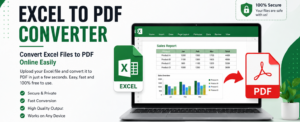
Our free Image to PDF tool lets you quickly convert JPG, PNG, WebP, BMP, and other image formats into a single high-quality PDF file. Simply upload one or multiple images, arrange them in your preferred order, and create a PDF in seconds. The tool works directly in your browser, ensuring your files remain private, secure, and are processed without any registration or software install.
PDF & Image Converter
Image → PDF · PDF → Image · 100% free & fast
Image → PDF
Add images (JPG, PNG, WEBP)
Click or drag & dropPDF → Image
Add PDF document
Click or drag & dropComplete Guide to Image to PDF and PDF to Image Conversion
Image to PDF and PDF to Image converters are essential tools for students, professionals, businesses, teachers, designers, and anyone who works with digital documents. This free online converter allows you to transform JPG, PNG, JPEG, and WEBP images into a professional PDF document while also converting PDF pages into high-quality PNG images. Because the conversion happens directly inside your browser, your files never leave your device, making the process fast, secure, and private.
PDF files are widely used because they preserve formatting across every device and operating system. Whether you are submitting assignments, sharing invoices, creating reports, archiving scanned documents, or preparing presentations, PDF remains the preferred format. Converting multiple images into a single PDF helps organize files, reduces clutter, and creates professional-looking documents that are easy to share.
Likewise, extracting images from PDF documents is useful when you need presentation slides, diagrams, certificates, screenshots, artwork, or scanned pages. Instead of taking screenshots manually, this converter generates high-quality images from every page of your PDF, saving time while maintaining clarity.
One of the biggest advantages of this converter is privacy. Many online converters upload files to remote servers before processing them. This tool works completely inside your browser using modern JavaScript libraries, meaning your confidential documents stay on your computer. No registration, subscriptions, or hidden charges are required.
The interface is designed for beginners and professionals alike. Simply drag and drop files or click to upload. Convert your files with one click and download the finished document immediately. The responsive design works smoothly on desktops, laptops, tablets, and smartphones.
Students can combine homework, notes, and scanned pages into one PDF. Teachers can prepare study material quickly. Businesses can convert receipts, contracts, invoices, and reports into secure PDF documents. Designers can share artwork without losing quality, while photographers can organize portfolios efficiently.
Supported formats include JPG, JPEG, PNG, and WEBP for image uploads. PDF documents can be converted into separate PNG images with excellent quality. Since everything happens locally, conversion speed depends mainly on your device rather than internet speed.
If you are looking for a reliable free PDF converter, this tool offers an excellent balance of speed, simplicity, and security. It is suitable for everyday office work, education, personal use, and professional document management. Popular search terms include Image to PDF Converter, PDF to Image Converter, JPG to PDF, PNG to PDF, Convert PDF Pages to Images, Free PDF Tools, Online PDF Converter, Browser PDF Converter, Secure PDF Converter, and Client-Side PDF Converter.
Frequently Asked Questions
Is it free? Yes, unlimited conversions are free.
Are files uploaded? No. Everything is processed locally.
Does it work on mobile? Yes, it supports Android, iPhone, tablets, and desktop browsers.
Is registration required? No account or sign-up is needed.
Table of Contents
Toggle